The recommended way to install Typort is the Microsoft Store.
No warnings, and it keeps itself up to date.

Want the direct download instead? Windows will warn you first.
Typort is a startup from Winston-Salem, North Carolina, so every new version shows this warning for its first few hundred downloads.
Scroll down to download.
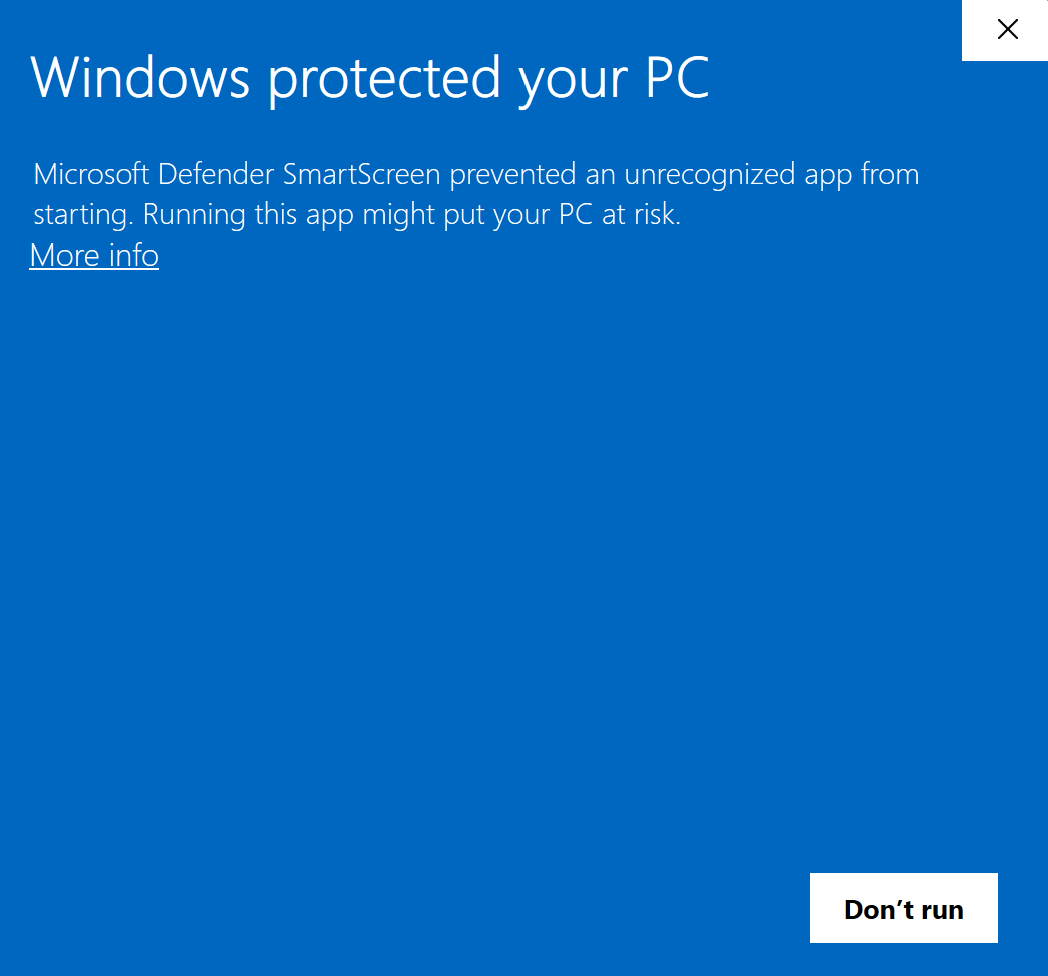
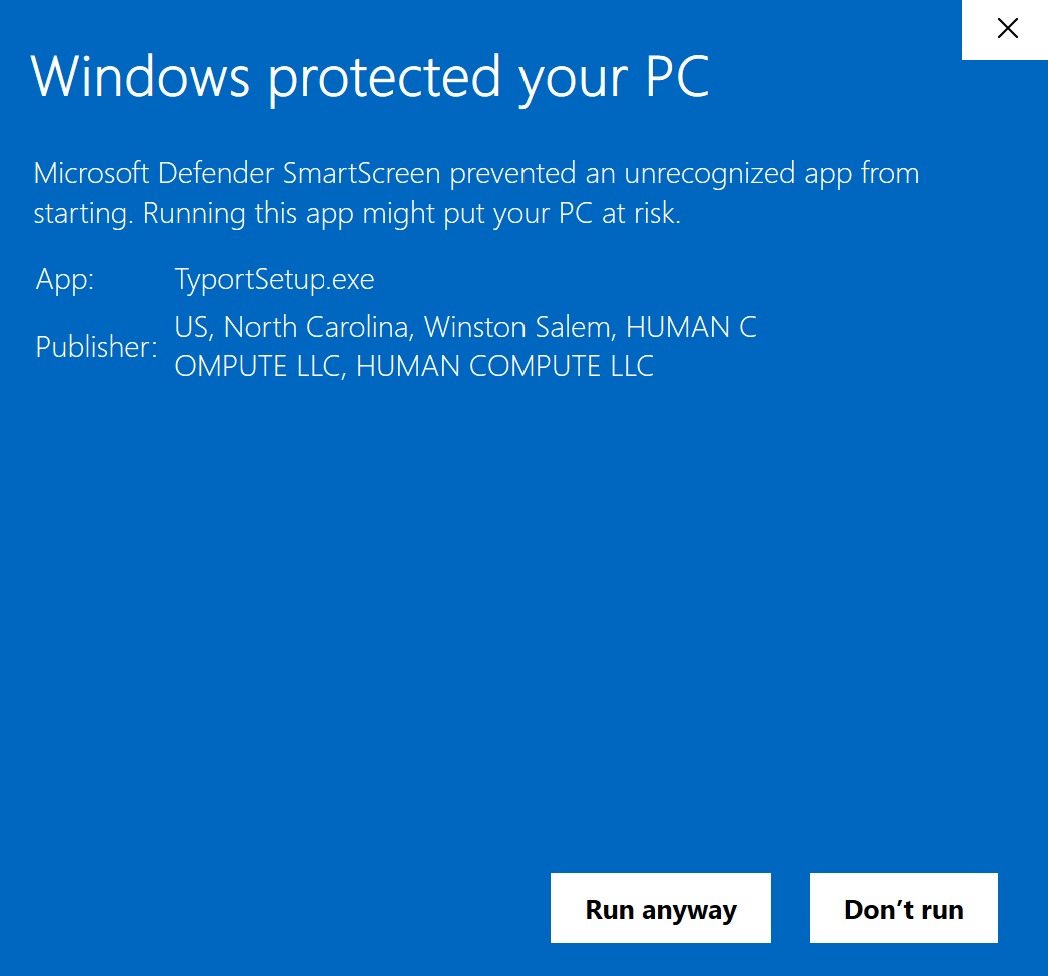
Below are the two screens Windows will show you, and what to click.
-
You'll see this. Click More info.
-
Then you'll see this. Check the publisher says HUMAN COMPUTE LLC, then click Run anyway.
-
Typort installs, opens, and downloads its speech model.