What you get
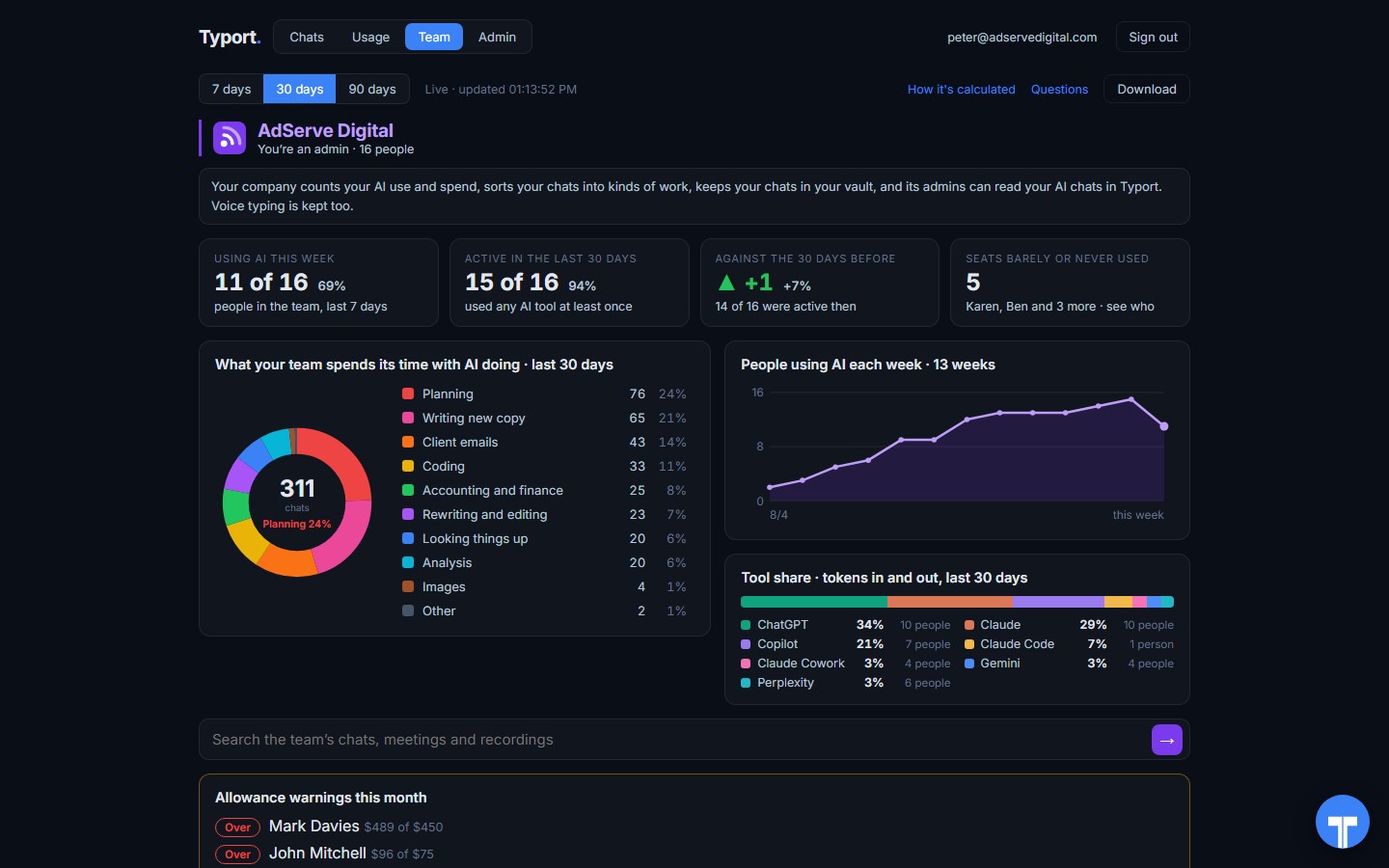
Each person adds the Typort Vault extension to Chrome. The admin sees the whole team on one screen. The team view runs on Typort's servers: it is free for a limited time and will move to Typort Pro later.
Who is using their seat, and who isn't
People using AI this week, active in the last 30 days, the change against the 30 days before, and the seats barely or never used, by name. People using AI each week over 13 weeks, and each tool's share of the work.
Find the seat nobody opens before the renewal, and the person who could use some help getting started.
Spend per person and per tool, with allowances
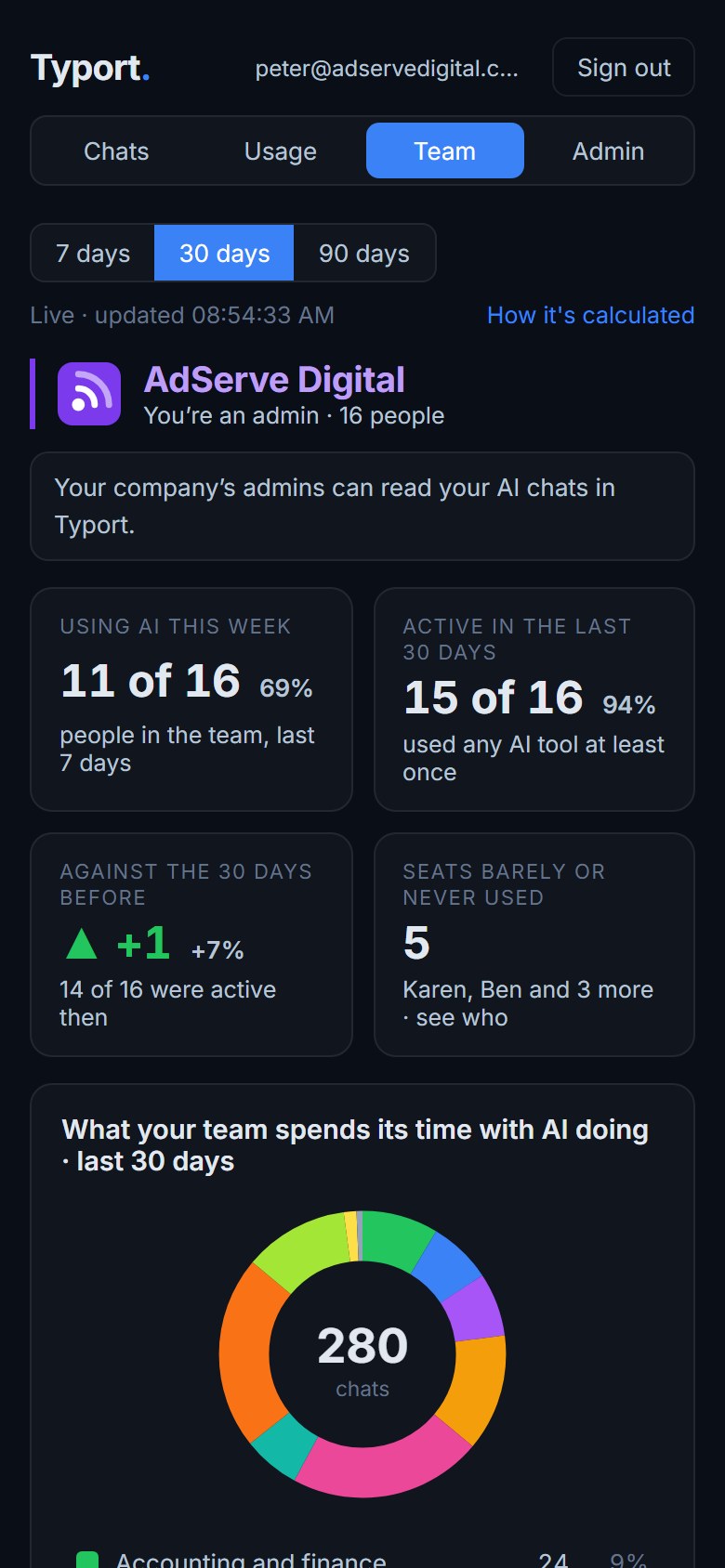
Tokens in and out, estimated spend and active days for every person and tool, over 7, 30 or 90 days. Set a monthly allowance per person and see who is near it or over it, across every tool at once.
Spend is an estimate: tokens priced at each provider's published API rates. Your invoice from each provider is still the bill.
What the work is
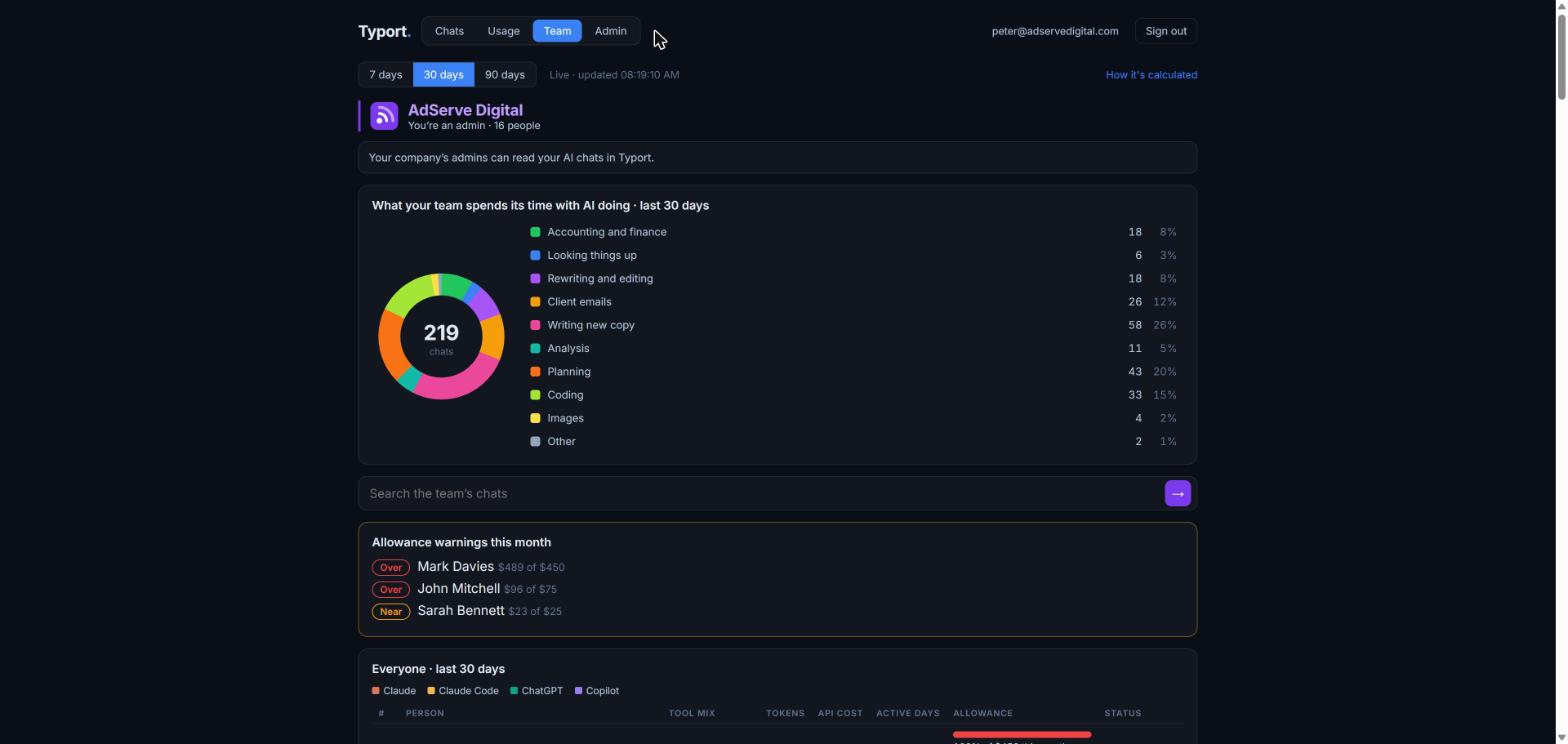
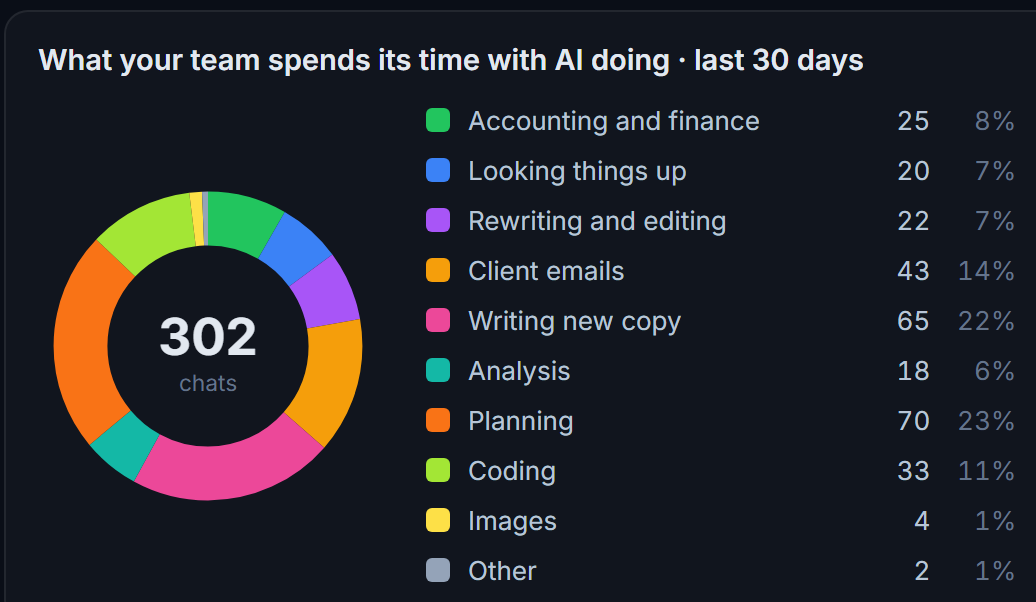
Chats sorted into kinds of work: accounting and finance, looking things up, rewriting and editing, client emails, writing new copy, analysis, planning, coding, images and more, including what AI agents were asked to do.
Click a slice to see those chats, or the people doing that work.
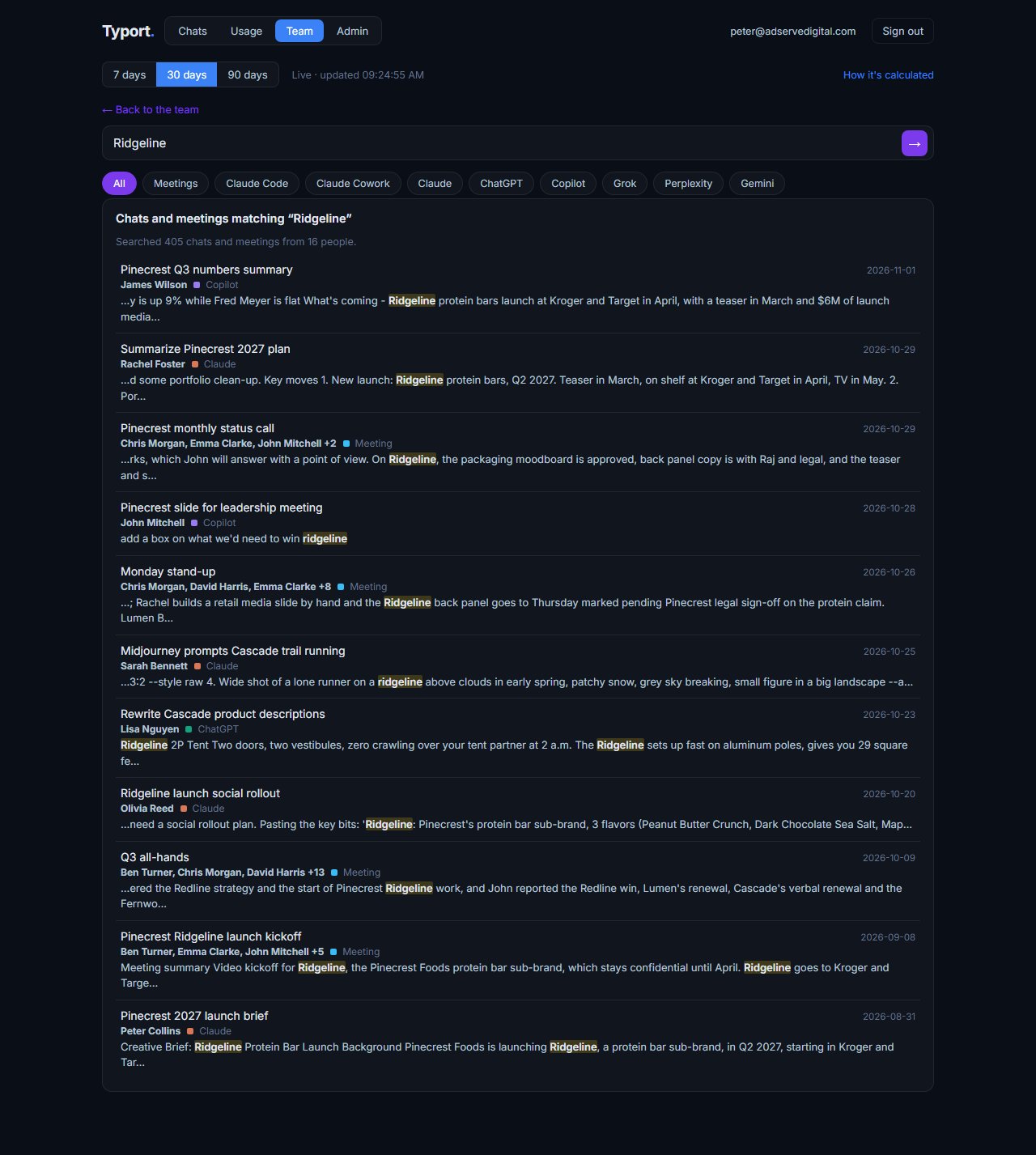
Search everyone's chats and meetings
When the company turns reading on, admins and team leaders can search the chats and meetings of the people they look after. Meetings come first with their attendees, then chats, each with the person, the tool and the date.
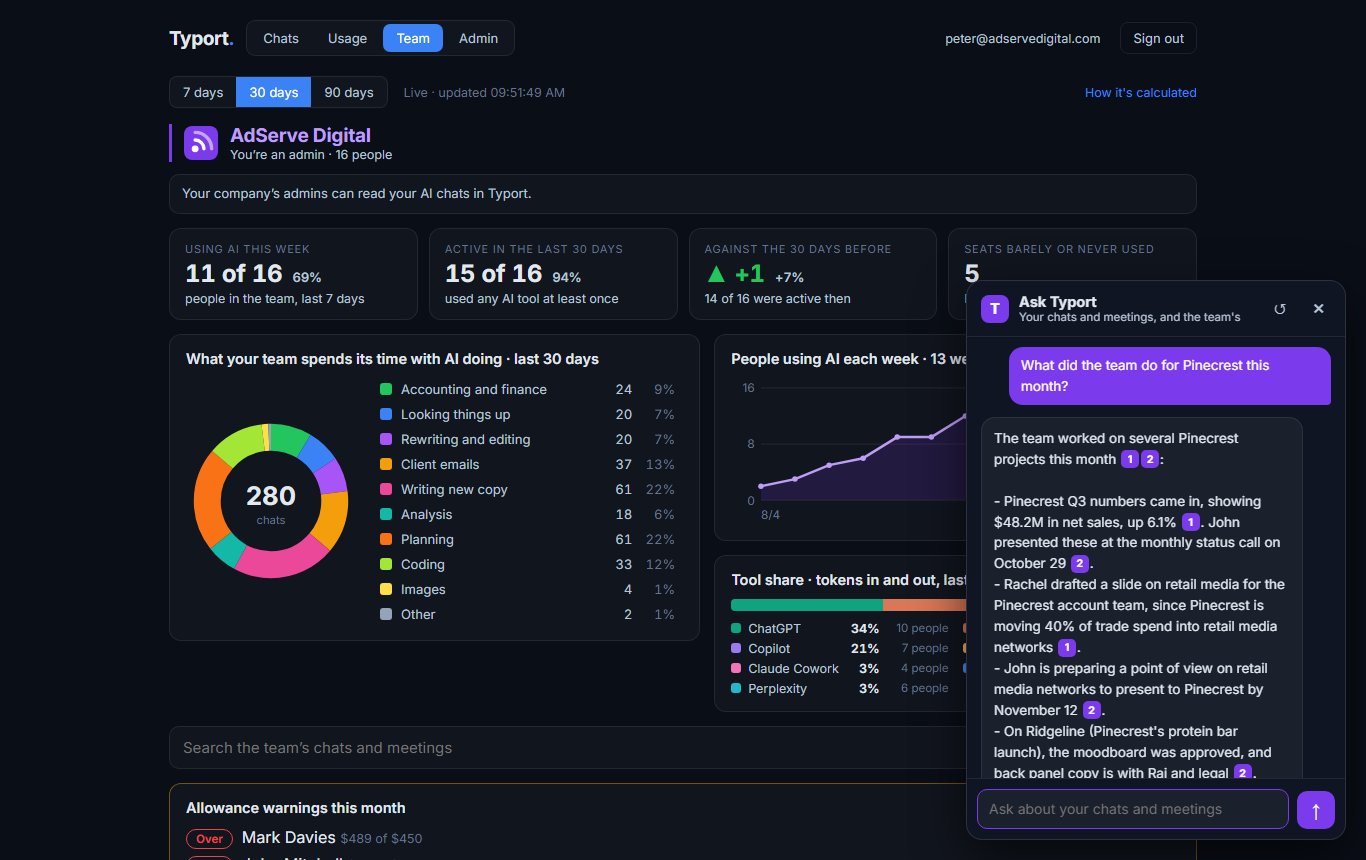
Ask Typort
Ask in plain English: who used Claude most this month? What did the team do for this client? The answer cites the chats and meetings it used, and each one opens in the reader.
It only answers from what you are allowed to see.
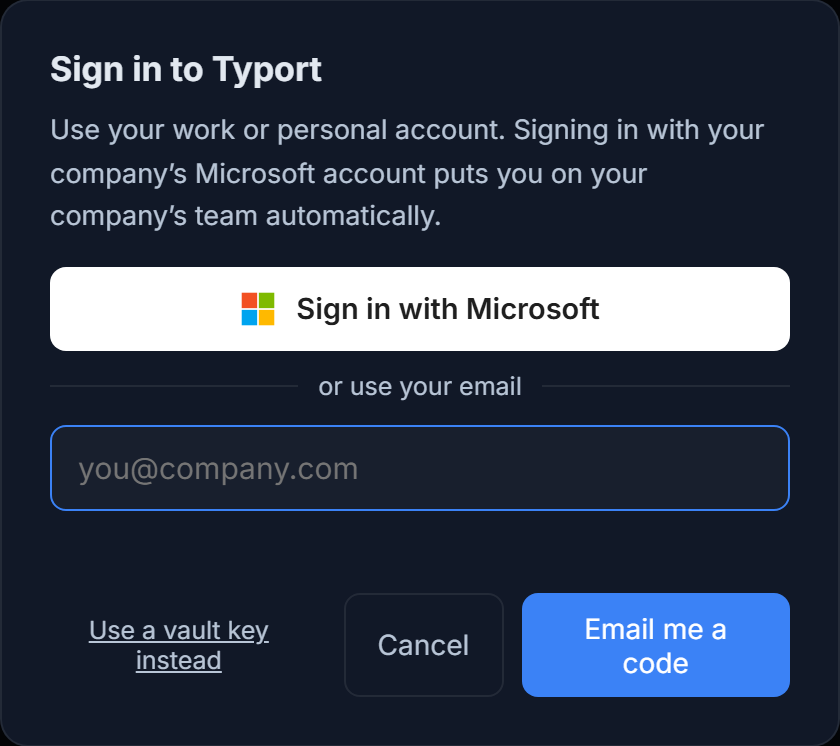
Sign in with Microsoft or a work email. No IT project.
A company Microsoft sign-in puts the person on their company's team, with no code to share. Anyone else signs in with a code sent to their work email.
No admin API keys, no Enterprise plan, nothing to install on a server.
Why a router can't see your seats
Gateways like LiteLLM and Portkey are good at what they do. They only see traffic sent through an API, and Business and Team seats don't use one.
A router sits between your own apps and the AI APIs, and counts what passes through it. A person typing into ChatGPT Business or Claude Team in their browser never goes near it, so the router has nothing to count.
Typort reads the chats where they happen, in the browser, on the seats you already pay for. Keep the router for the apps you build on the API, and use Typort for the people.
The caps already exist. Seeing who hits them doesn't.
Hard limits come with the plans you already pay for, in each tool's own admin settings.
Claude Team owners can set a monthly spend limit for each member. ChatGPT and Microsoft have their own seat and licence controls. Keep them where they are: a cap belongs in the tool that does the work.
What none of them shows is the whole team across every tool at once. Typort sets an allowance per person, warns as people get near it, and shows who is over, on one screen.
Specialist tools too
The chat tools everyone uses, and the specialist ones each person uses for their own work.
Today
- ChatGPT, Claude, Perplexity and Grok in the browser, on any plan, including Business and Team seats.
- Past ChatGPT and Claude chats, including ones made in their desktop and phone apps, come in when a person brings in their account history from the extension.
- Meetings recorded with the Typort desktop app, in the same search as the chats.
In the next extension update
- Microsoft 365 Copilot Chat. It is built and comes with the next update.
Being added
- Gemini.
- The specialist AI tools staff use for their own work, such as Waldo for research and Krea for images.
- What Claude does in the tools it is connected to, such as Sigma and Basecamp.
How a team starts
- Sign inGo to typort.com/vault and sign in with Microsoft or your work email.
- Start your teamCreate the team, pick what the company sees, and set allowances. Colleagues who sign in with the company's Microsoft account join it on their own.
- Add the extensionEach person adds Typort Vault from the Chrome Web Store. Their use shows on your screen from then on.
FAQ
Which AI tools does Typort see?
ChatGPT, Claude, Perplexity and Grok in the browser today, on any plan, including Business and Team seats. Microsoft 365 Copilot Chat comes with the next extension update. Gemini, specialist tools such as Waldo and Krea, and what Claude does in connected tools such as Sigma and Basecamp are being added.
Is the spend real?
It is an estimate: the tokens each person used, priced at the provider's published API rates. It shows where the money and the effort go across tools. Your invoice from each provider is still the bill.
Can Typort stop someone at their limit?
No. Hard limits stay in each tool's own admin settings, such as Claude Team's monthly spend limit per member. Typort shows who is near their allowance and who is over, across every tool.
Do we need an Enterprise plan or admin API keys?
No. Typort works on the Business and Team seats you already have, through the extension in each person's browser.
Can staff see what the company sees?
Yes. Everyone sees their company's choice in one plain sentence on their first screen. Every time an admin or team leader opens someone's chat, it is recorded. Chats in the AI's own temporary or incognito mode are never collected.
What does it cost?
The team view runs on Typort's servers. It is free for a limited time and will move to Typort Pro later.
See every AI seat on one screen.
Sign in, start your team, and add the extension. The team view is free for a limited time and will move to Typort Pro later.
typort.com | Typort Business | Typort for compliance | AI usage monitoring | Privacy | Terms
© 2024-2026 Human Compute, LLC. ChatGPT, Claude, Microsoft 365 Copilot, Perplexity, Grok, Gemini, Waldo, Krea, Sigma, Basecamp, Ramp, LiteLLM and Portkey are trademarks of their respective owners. Typort is not affiliated with or endorsed by any of them.